* Pinned Post *

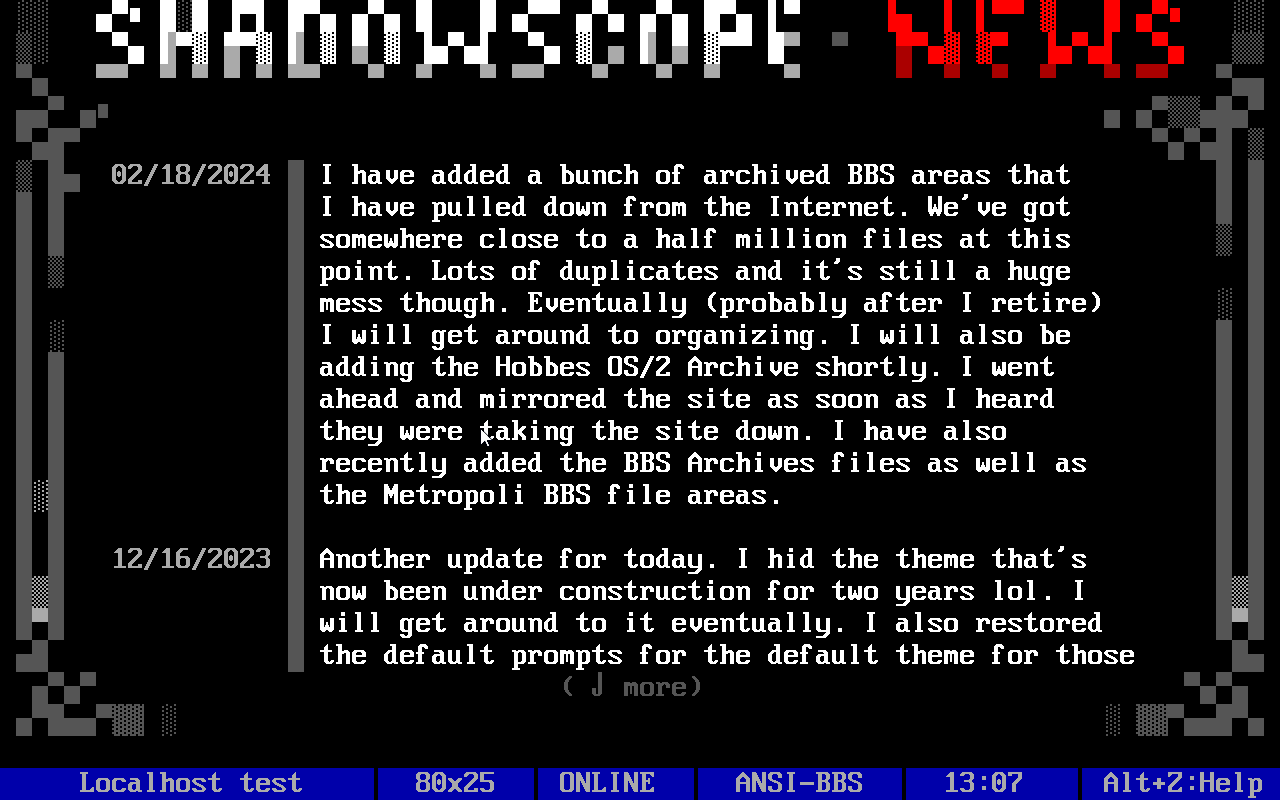
Going to pin this post (if it lets me) so that folks can more easily find the links. You can access the BBS by using your telnet client and visiting telnet://bbs.shadowscope.com or telnet://shadowscope.noip.us

If you want an EASY way to get to it from your web browser you can access it from this blog (best accessed using a desktop browser, may not display properly on mobile browsers) or by going to http://shadowscope.noip.us/

Plenty of games (200+) both locally hosted and networked. Local and networked Message areas, news groups, awesome old-school Ansi featuring Luciano Ayres artwork and MORE. With a bent toward the supernatural and horror.

Some of the latest Projects

The dice towers can be found at https://www.etsy.com/listing/4562690283/magnetic-portable-dice-tower-dice-tray

All of the bird houses are local purchase and pickup only at the Villa Rica market at the Mill on Thursdays. I may put some of them online soon and start shipping.

Richie’s Darn Good Wood Wax

Started making wood conditioner recently.

Give your wooden kitchenware the love it deserves with Richie’s Darn Good Wood Wax. This wood conditioner is formulated to nourish and protect all your wooden surfaces, from cutting boards and butcher block countertops to everyday wooden utensils, bowls, and serving pieces. Our blend of 100% food-grade ingredients – beeswax, mineral oil, and a touch of citrus oil – penetrates deep into the wood grain, revitalizing and preventing drying, cracking, and warping that can occur over time. Regular use of our wood wax will keep your wood looking its absolute best, extending its lifespan and ensuring it remains a beautiful and functional part of your kitchen for years to come.

Easy to use and safe for food contact, Richie’s Darn Good Wood Wax is the perfect choice for all your wood conditioning needs. Simply apply a small amount to a clean, lint-free cloth and rub it into the wood grain, allowing it to penetrate for 15 minutes before buffing with a dry cloth. A little goes a long way, so a single 2oz tin of Richie’s Darn Good Wood Wax will last through numerous applications.

You can find it at richieswoodworking.com (now forwarding to my Etsy store). At some point I will use Squarespace to create a site.

How I Made Kid’s Blocks for Xmas

New Baby Rattle

In the last post I posted about learning woodworking and making some rattles.

Today I made another one, this time a whale shape. This is on my etsy page as well as FB marketplace. The first three are also on FB here.

Here’s the video itself:

If you are interested in purchasing you can find it at my etsy store.

Woodworking

I’ve been trying to teach myself woodworking over the last few months. So far have made a desk, a turntable “cabinet” for my record player and albums, a couple of dice towers and these baby rattles.

Life360 Nearing End of Life (For Me)

I’vee been using Life360 for close to ten years. I don’t remember how long exactly but started using it when my second child was a teenager, and she just turned 26. It’s been extremely helpful in past years not to snoop (although that’s what we were doing with our kids) but to keep tabs on my mom as well as the rest of the family.

It was useful in conjunction with the two home automation software packages I use, HomeSeer and HomeAssistant. I had quite a few automations set up based on location. Arrive home, at night? The front porch light turns on and the front door unlocks. Stuff like that.

Unfortunately, Life360 has chosen to block third parties from accessing its data and will not be providing its paid users with any sort of api to use either (I am gold level and pay $10 a month for the service).

Going forward I am going to be cancelling my subscription once I find an easy, viable alternative. May cancel it right away. With the free account you can have two “places” and it gives crash detection (something built into our phones now anyway).

I am limited in what I will be using but a few of the alternatives are listed below.

Home Assistant App– Does the same thing. I would miss being able to track in real time but it’s available for iPhone (my mom) and Android (the rest of us). The problem with HA is that it means I either must get it installed on everyone’s phones and get the setup right or expect them to do it. Probably not happening.

Bark. More of a parental control app which is not what I want. It is available for both ios and android. Don’t know if they have an accessible API.

Tasker. Android only. Difficult for new end users to set up, I would have to do the work and hope that nobody disabled it by accident. I already use it and, in the past, have used it for location based stuff for my personal phone, probably will continue.

Monitoring ip addresses on my network. I have done this in the past as well. It works well for automations when they are already here and connected so can’t have automations run quite as early as with Life360, but I will use this as well.

If anyone has any decent suggestions, please let me know. Open to alternatives.

Go Check Out All Pro Renovations

Just a quick plug for some guys that have done a bit of work in our historic house. All Pro Renovation LLC, located in West Ga, has done several different pieces of electrical work for us including installing dedicated breakers for our pond pump, new light fixtures and new outlets. Quick, clean work and knowledgeable.

If you’re in the metro Atlanta area and need electrical work done, go let them know and they will give you a call.

FYI, this is not a paid review.

New Door Games

I’ve added BBS Tournament Wordle to the main Shadowscope Theme Door Games menu. Will try to get it added to the other themes when I get home from work this afternoon. Also, recently I have added a bunch of native Synchronet doors as well. These can be found in the doors in the “Ports” menu.
I still need to go through and retest all of the doors to make sure they are working correctly, but do it with a guest account or something. Another user found and I fixed a bug on the InterBBS version of BRE where everyone that played was thrown in under my name.
I am also thinking about expanding and adding more maps to the Operation Overkill game, potentially just have a section strictly for that and use all the maps. I’ve found that some are extremely popular, where I was getting multiple calls daily and when I reset the game last year it’s now been pretty dead.
Going to reset the default Mystic theme to be able to accept non-ansi callers. I know there are a couple that have issues displaying it and forcing ansi isn’t the way to build up any sort of regular callers.
One last thing, if you’ve found that it won’t connect, either from your telnet client or from the website here, please shoot me a message so I can fix it. Normally that’s because the IP address has gotten into my denylist for whatever reason.

Telnet Page Fixed

I took a little time and fixed it so that the BBS telnet page is working again and can be logged into from the web page. Not sure why it wasn’t working but it is now…

Some of the fonts I am using don’t seem to display properly, I may consider going back to the old ones soon.

RPG Dice Roller For Android

So I made a pretty simple dice roller for my android phone using Tasker. If you don’t know what Tasker is, it’s an all-around automation app. It’s been around for as long as I have been using Android phones I would guess. I’ve used it for years but have gotten really serious about it in the last year or so. This isn’t a post about Tasker though, although you will need it for this.

I had come across a Task (a set of actions) that would allow you to simulate the roll of a single six sided die. Really it’s just a random number from 1-6 so that part is pretty easy to emulate. I wanted to be able to roll multiple dice and I wanted the whole gamut, 2,3,4,6,8,10,12,20 and percentile dice. I took a little bit of work but I was able to get that part finished. I am currently using Google Assistant Intercept so I can say “roll 2d10” and it correctly recognizes that, gets the random number between 2 and 20 in that case, displays it on the screen and also speaks the answer. Tasker steps are below:

Task: RPG Dice Roll

<How many dice to roll>

A1: Variable Set [

Name: %Dice_number

To: %par1

Structure Output (JSON, etc): On ]

<What type of dice (d6, d10, d20, etc)>

A2: Variable Set [

Name: %Dice_type

To: %par2

Structure Output (JSON, etc): On ]

<Sets the minimum amount. This is easy, it just matches how many dice you are rolling. The minimum number you'll get>

A3: Variable Set [

Name: %HowManyDice_min

To: %Dice_number

Structure Output (JSON, etc): On ]

<The rest of the Variable sets puts the max amount you can roll * whatever kind of dice it is, i.e. 3d12 would be 12 * 3.>

A4: Variable Set [

Name: %HowManyDice_max

To: %Dice_number * 2

Do Maths: On

Max Rounding Digits: 3

Structure Output (JSON, etc): On ]

If [ %Dice_type ~ 2 ]

A5: Variable Set [

Name: %HowManyDice_max

To: %Dice_number * 3

Do Maths: On

Max Rounding Digits: 3

Structure Output (JSON, etc): On ]

If [ %Dice_type ~ 3 ]

A6: Variable Set [

Name: %HowManyDice_max

To: %Dice_number * 4

Do Maths: On

Max Rounding Digits: 3

Structure Output (JSON, etc): On ]

If [ %Dice_type ~ 4 ]

A7: Variable Set [

Name: %HowManyDice_max

To: %Dice_number * 6

Do Maths: On

Max Rounding Digits: 3

Structure Output (JSON, etc): On ]

If [ %Dice_type ~ 6 ]

A8: Variable Set [

Name: %HowManyDice_max

To: %Dice_number * 8

Do Maths: On

Max Rounding Digits: 3

Structure Output (JSON, etc): On ]

If [ %Dice_type ~ 8 ]

A9: Variable Set [

Name: %HowManyDice_max

To: %Dice_number * 10

Do Maths: On

Max Rounding Digits: 3

Structure Output (JSON, etc): On ]

If [ %Dice_type ~ 10 ]

A10: Variable Set [

Name: %HowManyDice_max

To: %Dice_number * 12

Do Maths: On

Max Rounding Digits: 3

Structure Output (JSON, etc): On ]

If [ %Dice_type ~ 12 ]

A11: Variable Set [

Name: %HowManyDice_max

To: %Dice_number * 20

Do Maths: On

Max Rounding Digits: 3

Structure Output (JSON, etc): On ]

If [ %Dice_type ~ 20 ]

A12: Variable Set [

Name: %HowManyDice_max

To: %Dice_number * 100

Do Maths: On

Max Rounding Digits: 3

Structure Output (JSON, etc): On ]

If [ %Dice_type ~ 100 ]

<Found this one at Soundbible. You can download your own sound file or disable this part.>

A13: Music Play [

File: Tasker/soundfiles/Shake And Roll Dice.wav.crdownload

Start: 0

Stream: 3 ]

<Get the random number between the minimum # set earlier and the max # set earlier and outputs it to the Dice variable.>

A14: Variable Randomize [

Name: %Dice

Min: %HowManyDice_min

Max: %HowManyDice_max ]

A15: Say [

Text: You rolled a %Dice

Engine:Voice: default:default

Stream: 3

Pitch: 5

Speed: 5

Respect Audio Focus: On ]

A16: Flash [

Text: <h1><b><center>%Dice</center></b></h1>

Long: On

Tasker Layout: On

Title: You Rolled a:

Continue Task Immediately: On

Dismiss On Click: On

Show Over Everything: On

Position: Top

Use HTML: On ]

I do have this up on Taskernet as well, you can find it here if you don’t want to input all of that. I would also like to create a series of scenes for this as well at some point but I’m pretty shitty at drawing. I’m thinking animated gifs that show up with the correct number and type of dice and actually show the correct numbers on them. Seems like it would be pretty difficult to implement and would need to include hundreds of images to make it work right. IDK. Going to have to think about that one for a while. I tried using DALL-E and LeapAI to create the images on the fly but it didn’t work worth a crap. Vaguely resembled dice but the background wasn’t transparent and the numbers on them weren’t actually numbers.