I have uploaded my Taskerlink plugin for Homeseer. You can find it in the downloads area. There used to be a plugin that would interface Tasker – HS3 but it is out of date, not working and used Autoremote which is also out of date and not working. I have updated this to use Google Cloud and Firebase if you want Homeseer to Tasker connection. Works Tasker to Homeseer just fine without it but you’ll need either a tunnel (such as through cloudflare) or an open port to your HS instance if you want to connect away from your local network.
Works just fine local only as well although I probably need to update the logic.
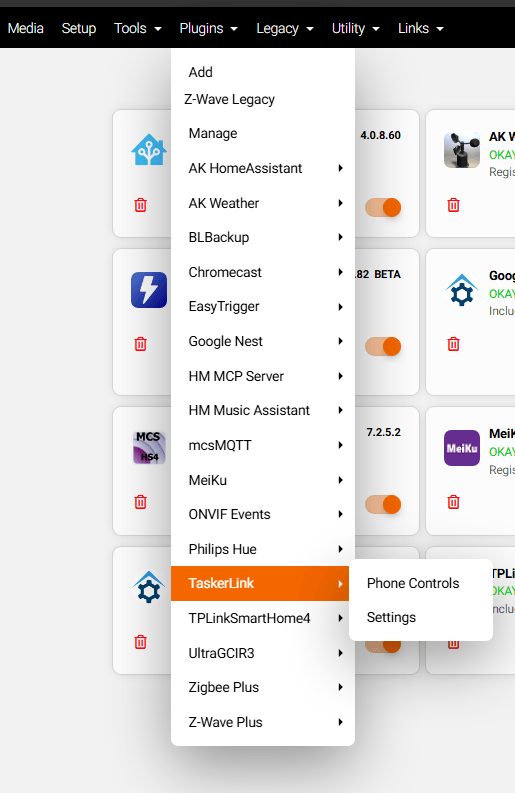
Here are some pictures of what’s working. These are from version 1.7, version 2.1 is the current upload. I will post the whatsnew under the pictures.




Here’s what’s new since 1.7:
2.1.1 (2026-11-03)
- New: each device has an icon for what it is, using Material Design Icons (the set Home Assistant
uses): light, fan, ceiling fan, lock, switch, plug, door, garage door, window, blinds, curtains,
thermostat, motion, presence, smoke, leak, CO, temperature, humidity, light level, power, battery,
TV, speaker, camera, siren, valve and appliances. On/off devices have on and off variants (e.g.
locked and unlocked padlock), yellow when on, grey when off; readings use the theme colour. - The plugin picks the type from the device name first (“Ceiling Fan”, “Desk Lamp”), then HomeSeer’s
device type, then the device’s features and controls. - All buttons (back, add, refresh, widgets, delete) use the same icon set.
- Fixed: turning a device on or off with the switch in the device list also opened the device page
for a moment before going back to the list. - Fixed: on a device without a switch, tapping its name could open the device page twice.
2.1 (2026-11-03)
- New: TL Devices and TL Widgets are full screens (Tasker Scenes V2) instead of list menus:
- device list with each device’s state, status and an on/off switch;
- device page with a large Turn on / Turn off button, all controls grouped by feature (the
current one highlighted), sliders with a Set button, and buttons to add or remove its
home-screen widget or remove it from the phone; - “Add device” page with a number keypad, and messages on the page instead of popups;
- widgets page to create, remove and refresh widgets;
- progress bar while HomeSeer answers; Back returns to the previous page.
- Plugin: new “States” call, so the device list loads with one request instead of one per device.
- Plugin: TL Get also returns each control’s current value.
- Removed the old list-menu tasks: TL Add Device, TL Remove Device, TL Widget Pick, TL Widget Remove.
- Now needs Tasker 6.6 or newer.
2.0.1 (2026-11-03)
- Fixed: a widget for a device with more than one On/Off feature (e.g. a Zigbee bulb with “Power On
Behavior”) always sent Off and turned yellow again while the device was off. The plugin now finds
the feature that really switches the device, and the tap decides from that feature’s own value
(at its Off value -> send On, otherwise send Off).
2.0 (2026-11-03)
- New: up to 4 phones. Each has its own name, API key, FCM token, HomeSeer device, Phone Controls
and reports. Existing installs become Phone 1 with nothing to change on the phone. - New: the phone picker on the Phone Controls page and a “Phone” list in every event action.
- New: each phone can be a HomeSeer speaker client (“TaskerLink:”), so HomeSeer’s own
Speak action can speak on the phone. Optional HomeSeer login for speaker clients. - New: home-screen widgets (Tasker Widget v2). Each shows one HomeSeer device as a lightbulb, yellow
when on and grey when off; tap it to switch the device. HomeSeer pushes changes to the widget
within a second or two. - New: “Also create a home-screen widget” option when sending a device to a phone from HomeSeer.
- New: TL Widgets menu (create, remove, refresh); widgets also refresh every 30 minutes.
Leave a Reply